Free PDF to form converter
Turn a PDF into an online form in seconds.
Drop a PDF or a scanned paper form. AllBack reads every page and makes an online form with the same questions, ready to share. Then it can send the form to your list and remind the people who have not answered.
- Reading the file
- Finding the questions
- Building your form
- Use a PDF with text, or a sharp photo in good light.
- Send only the pages of the form.
- A letter or an invoice is not a form.
Your online form
Form
Next, you sign in with a code by email. Then change anything, share the link, or send it to your list.
How it works
From paper to a link in three steps
-
1. Drop your form
A PDF, or a paper form from your scanner. Up to 10 pages and 10 MB.
-
2. Check the questions
AllBack reads every page and writes each question with the right type. See the new form at once.
-
3. Share it, or send it
Use the form: share one open link, or send it to a list of people. AllBack reminds the people who have not answered.
What it finds
The right question type, not just text boxes
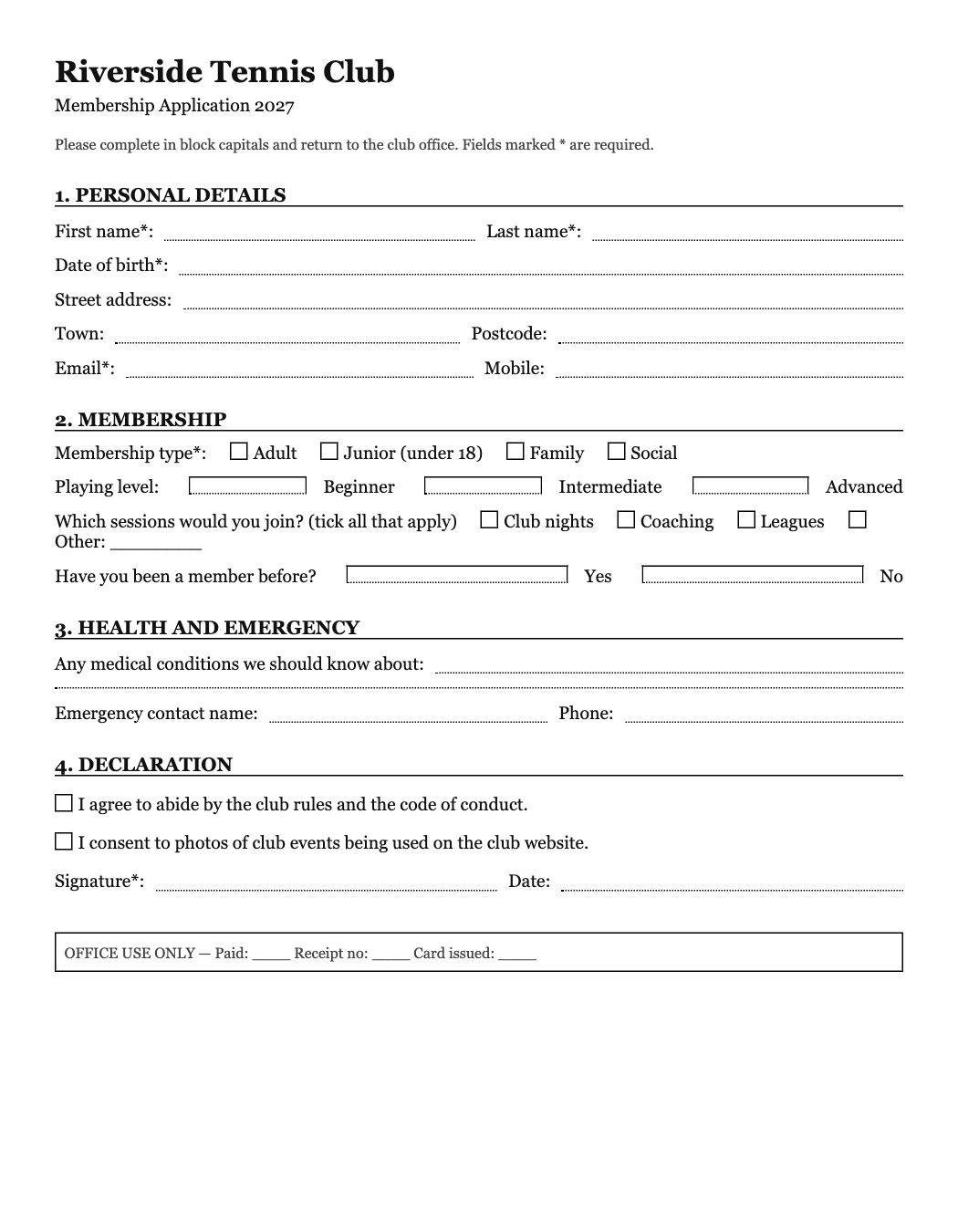
A line for an email becomes an email question. Tick boxes become a choice with the same options. A signature line becomes a signature pad. The parts of a long form become pages.
- Short and long text
- Email and phone
- Dates and numbers
- Tick boxes and choices
- Yes or no
- Rating scales
- File uploads
- Signatures
- Consent boxes
- Sections as pages
Your file
We read it once, and we never keep it
- No copy of the file. AllBack sends it to the AI model that reads it, and then forgets it. Only the questions stay, in your new form.
- No answers from the paper. A filled-in form is read as an empty form. Names and numbers that someone wrote do not go into the new form.
- No secrets. AllBack forms never ask for passwords, PINs, card numbers, or bank details. Questions like these are removed, and the page tells you.
After the form
Now get the answers back
The new form is a normal AllBack form. Share one open link for anyone, or send it to a list of people. Each person gets a personal link, and AllBack reminds only the people who have not answered.
Questions
Is the PDF to form converter free?
Yes. You can convert 3 files a day with no account, and 20 a day when you sign in. The form you make is a normal AllBack form on the free plan.
Which files work?
PDF files, and scanned forms as PDF, JPG, or PNG. A file can have up to 10 pages and 10 MB. Photos from a phone work too. Word files do not work yet: save them as PDF first.
Does it work for a scanned PDF?
Yes. AllBack reads the page as an image, so a scan with no text layer works too. A sharp scan gives the best result.
What if my form is already filled in?
That is fine. AllBack reads only the labels and the boxes, and never copies what someone wrote on the form.
Do you keep my file?
No. AllBack sends the file to the AI model that reads it, and then forgets it. We never save the file. The form keeps only the questions.
Can I change the form after it is made?
Yes. After you sign in, the form is yours. Change the questions, the style, and the logic, like any AllBack form.
Does it work for forms in other languages?
Yes. The online form keeps the language of your file.
More free tools
Your paper form, online in seconds.
Drop a PDF, check the questions, and share one link. Free to try, no account.
Convert a PDF →